AI · 2026
Briefly
- Year
- 2026
- Scope
- AI · Hackathon
- Role
- Frontend Engineer
- Team
- Team of 3
- Stack
- React, TypeScript, Vite, WebMCP
- Status
- Completed
- Links
A content workspace where the agent works on the same surface as the human.
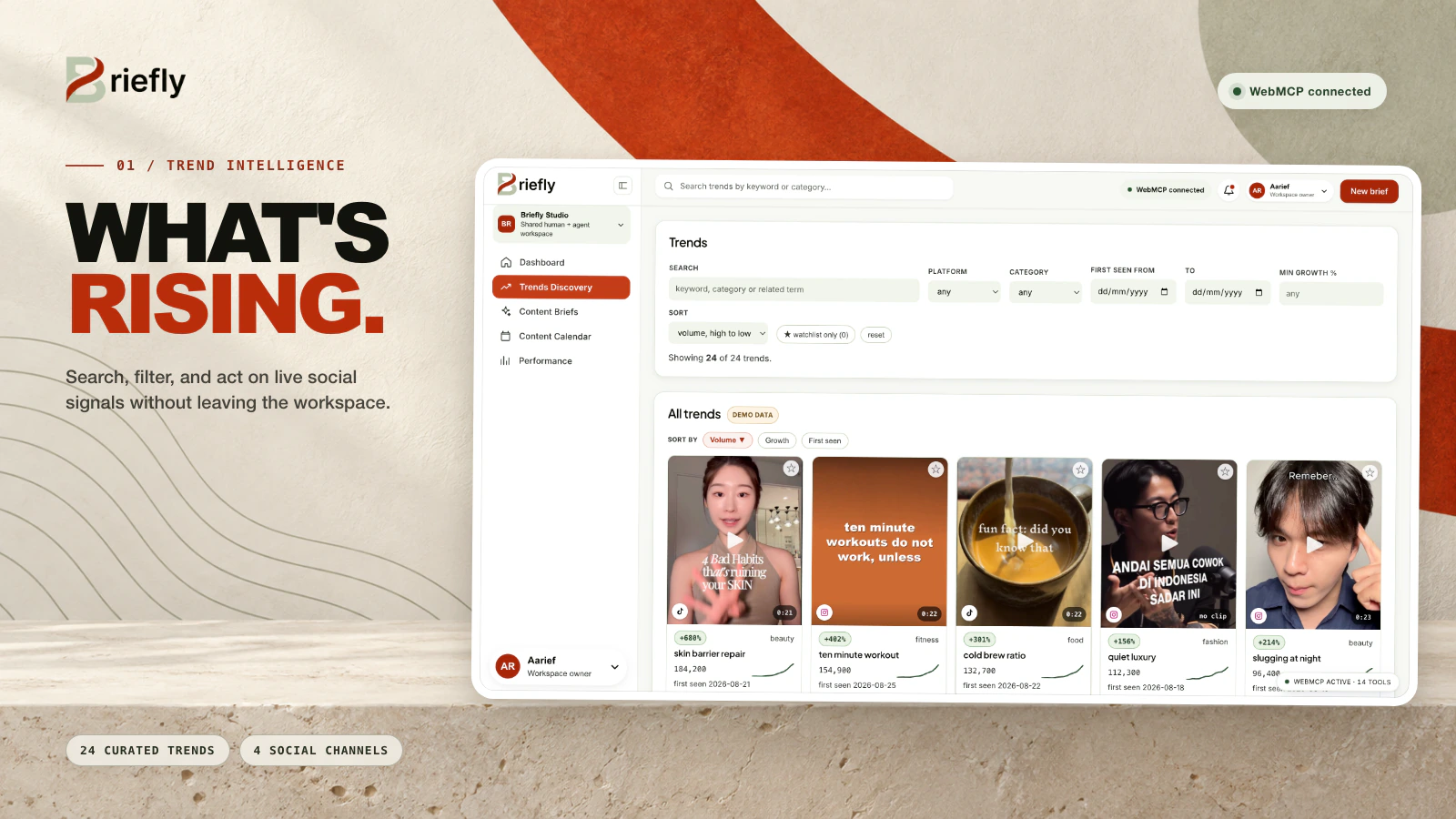
A content marketing workspace where trend research, business context, and brief writing live in one place, and a connected agent reads what the human is looking at and writes results back into the app rather than into a chat transcript.
A content team runs the same loop every week: someone watches what is trending, someone decides which trend is credible for the brand, someone writes a brief connecting that trend to a real product, someone schedules it, someone checks whether it worked. The third step is where the loop breaks. Connecting a trend to a product is not a lookup: it needs the shape of the trend, the product's positioning and price, and the list of things the brand has decided it will not say. That knowledge sits across a Notion page, a Slack thread, and one person's head, so briefs get written from the trend alone and the product angle comes out generic.
Read moreShow less
Using a normal AI assistant does not close the gap. The assistant cannot see which trend the human has open, cannot read the product knowledge base, and cannot put its output anywhere useful, so every hand-off is a copy-paste and the context is rebuilt from scratch each time. Human review arrives after the context that mattered is already gone.
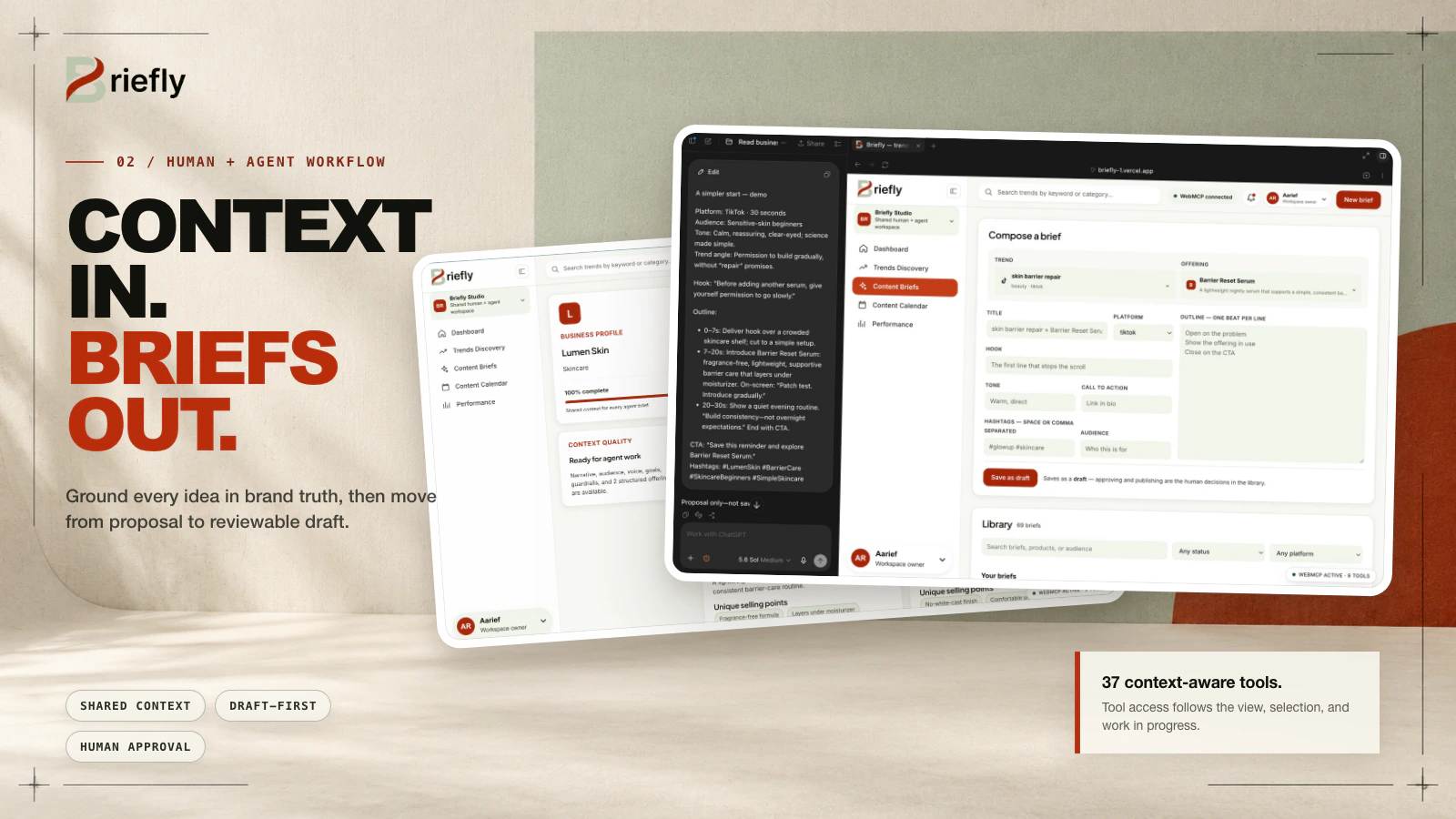
Briefly hands the dashboard's own capabilities to the agent through WebMCP. The core sentence is that the brief lands in the application's library, not in a chat transcript, with a status, a link to the trend, and a link to the product. The division of labour is deliberate: the human picks the trend because they understand the brand, the agent drafts because it is faster, and the human approves because they are accountable.
Every number and video in the app is invented, and that line is drawn in the interface rather than hidden. Seeded analytics carry a demo data badge; values a committed script derives from files in the repository carry a measured badge. The processing is not invented: a real workflow operating on a fictional dataset.

Brief
Problem
Context for a content brief is scattered across tabs, and an AI assistant is blind to the view the human is working in. Its output stops in the chat, so results are never linked back to the trend or the product, and brand claim limits are applied inconsistently.
Solution
Expose the dashboard's own view state and knowledge base to the agent as tools, and let it write the finished brief back into the application's library where it gains a status and links to its source trend and product.
My role
- 01
Built Phase 2: the trend table, the trend detail drawer, and ten of the WebMCP tools registered from them
- 02
Built Phase 5: the calendar and performance views and the final two tools
- 03
Worked on the briefs and schedule stores, their persistence layer, and the Briefs and Pending routes
- 04
Contributed as one of three people over a two-day hackathon build
Features
- 01
Tool surface derived from application state, so tools register and disappear as the human navigates
- 02
Live panel rendering the current tool surface, driven by the specification's toolchange event
- 03
Reading the business profile (audience, brand voice, offerings, and claim limits) as agent context
- 04
Trend detail exposing spike shape, related keywords, and the transcript of the clip on screen
- 05
Playing the clip the human is currently looking at, from the agent side
- 06
Writing a trend summary onto the page rather than into the chat
- 07
Brief composer tools that register only when a trend and a product are both selected
- 08
Briefs saved into the app library with a draft status and links to their trend and offering
- 09
Human approval moving a brief from draft to approved
- 10
Demo data and measured badges separating seeded numbers from script-derived values
- 11
A local bridge exposing the same tool names, schemas, and executors for agents without native support
Architecture
A single-page React application with no database: state lives in a React-compatible store persisted to localStorage. WebMCP tools are registered through document.modelContext with an AbortSignal lifecycle so registration follows application state, alongside a local bridge exposing identical names, schemas, and executors. The only server-side piece is a same-origin serverless endpoint that calls Gemini for trend analysis, with a cached summary as fallback when no key is present.
- Front end
- React, TypeScript, Vite, WebMCP
- Infrastructure
- Vercel
- Tools
- Stitch Design System
- Integrations
- Gemini
Challenges
- 01
Problem
Most WebMCP demos register a fixed tool set at page load, which produces wrong behaviour: the agent is offered save_brief while the human sits on a settings page, calls it, and fails.
Solution
Derived the tool surface from application state instead. Six tools on the trends route, four more when a trend is opened, and the brief composer tools registering only once a trend and a product are both selected, so the set the agent can see is always exactly the set that can succeed.
- 02
Problem
The project's central claim is that the tool surface moves with the human, but a surface that is not rendered is invisible; the audience cannot see the thing being claimed.
Solution
Rendered the live surface in a panel driven by the specification's toolchange event, written in present tense: a tool appears when it registers and disappears when it does not. The footer count is what the audience follows as the human makes choices.
- 03
Problem
Not every agent runs in a browser with native WebMCP support, so the demo could fail for reasons that have nothing to do with the product.
Solution
Shipped a local bridge exposing the same names, schemas, and executors, so an agent without native support drives the identical surface.
- 04
Problem
Every metric and video in the app is invented, which risks the whole thing reading as a fabricated analytics product.
Solution
Separated invented inputs from real processing and made the line visible in the interface: seeded numbers carry a demo data badge, while values a committed script derives from files in the repo (clip duration, word count, speaking rate) carry a measured badge.
Lessons
- 01
An agent surface bolted onto something that does not work on its own is not a product; the same loop had to be completable manually in the browser with no agent involved.
- 02
Tool calls return structured data rather than prose, and user-written fields are marked as untrusted content for the agent.
- 03
Guardrails read as agent context are not an automatic block, and saying so plainly is better than implying a guarantee the system does not make.