Mobile · 2026
Haptic Wayfinder
- Year
- 2026
- Scope
- Mobile · Personal
- Role
- Product Designer and watchOS Prototyper
- Team
- Solo
- Stack
- Swift, SwiftUI
- Status
- Concept
Eyes-free walking navigation through a small language of taps.
A watchOS navigation concept that turns walking directions into nine haptic patterns across four distance zones, so a route can be followed without repeatedly checking a phone or screen.
Haptic Wayfinder explores eyes-free walking navigation on Apple Watch. The user searches for or dictates a destination, MapKit builds a walking route, and the watch translates that route into a small language of taps. After the route starts, the screen becomes optional: a maneuver pattern communicates left or right, cadence increases as the next turn gets closer, and an arrival pattern confirms the destination.
Read moreShow less
The experience is organized into five stages: set the destination, build the route, feel the maneuver, pace by distance, and confirm arrival. Its haptic system contains nine patterns and four distance zones. The interface remains available as a glanceable fallback, but the primary interaction is designed to stay on the wrist and keep the phone away.
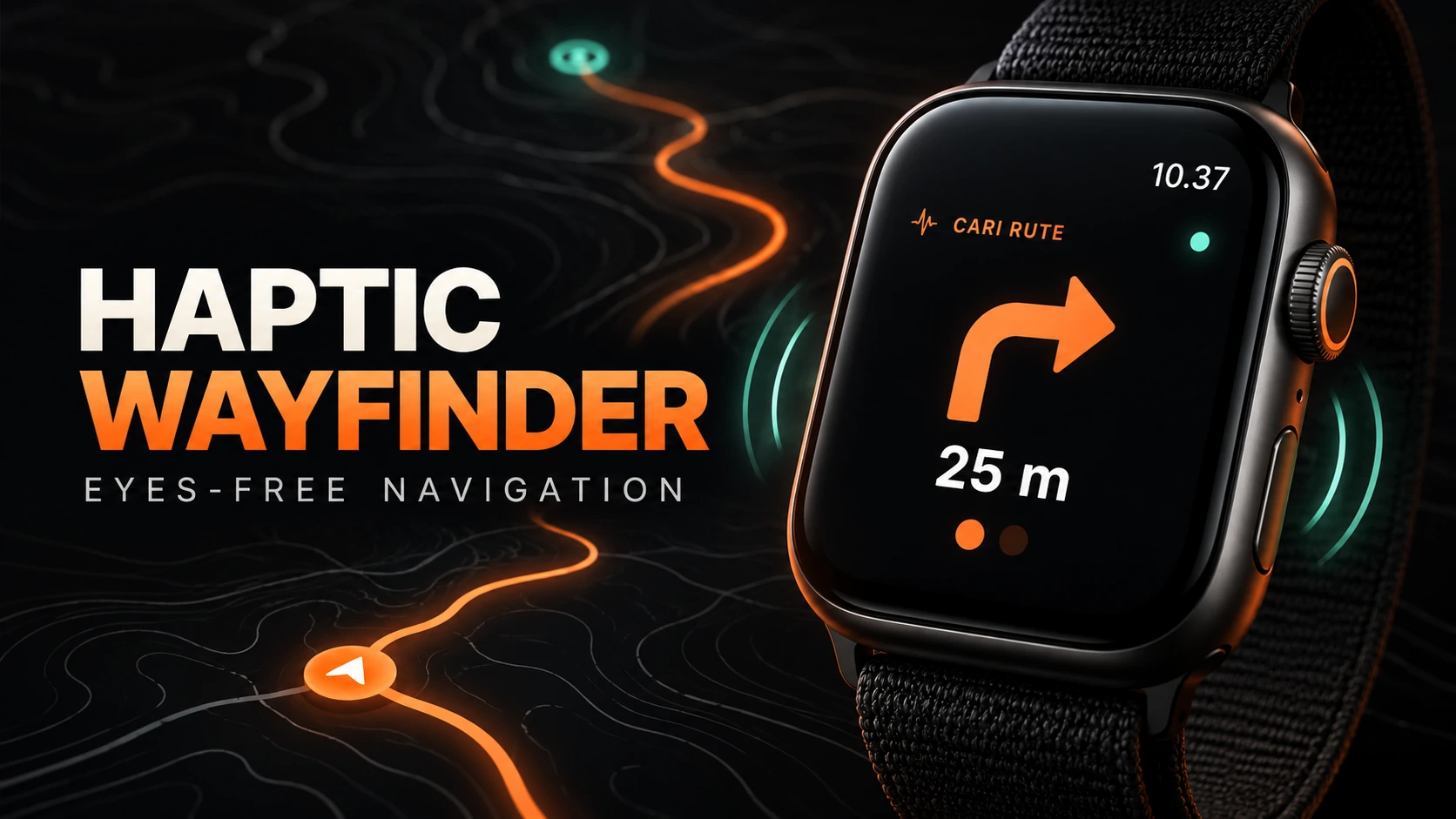
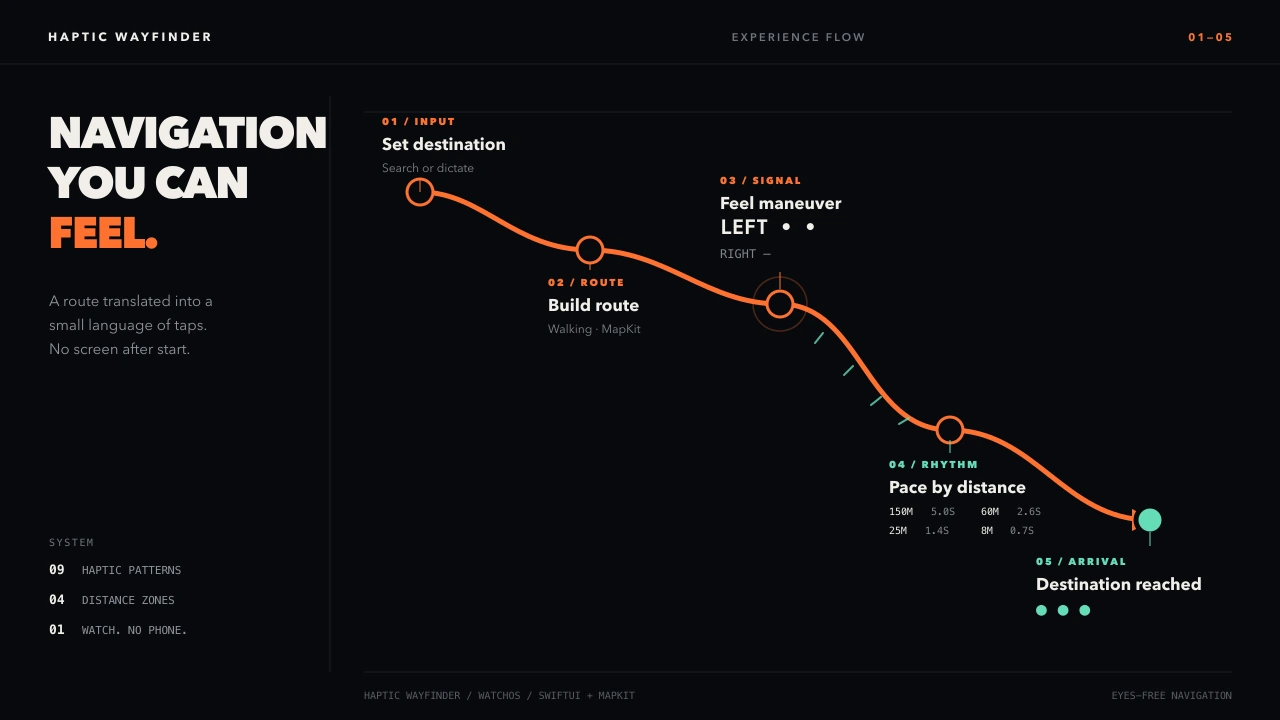
Eyes-free walking navigation designed around haptic signals on Apple Watch.
Brief
Problem
Conventional walking navigation repeatedly pulls attention toward a phone or watch screen, interrupting awareness of the street and the surrounding environment.
Solution
Separate direction and proximity into a tactile vocabulary: distinct patterns communicate maneuvers, while a faster cadence communicates that the next action is getting closer.
My role
- 01
Defined the five-stage eyes-free navigation flow from destination input through arrival
- 02
Designed a tactile system of nine haptic patterns across four distance zones
- 03
Designed the glanceable watch interface and its relationship with the haptic signals
Features
- 01
Destination input by search or dictation
- 02
Walking-route construction with MapKit
- 03
Nine haptic patterns for route guidance and arrival
- 04
Distinct tactile signals for left and right maneuvers
- 05
Four distance zones with cadences from 5.0 seconds at 150 meters to 0.7 seconds at 8 meters
- 06
Watch-first navigation that does not require a phone after the route starts
Architecture
A watchOS experience where destination input feeds a MapKit walking route. A guidance layer maps each upcoming maneuver to a haptic pattern and the remaining distance to one of four cadence zones, then switches to a distinct signal when the destination is reached.
- Front end
- Swift, SwiftUI
- Integrations
- watchOS, MapKit
Challenges
- 01
Problem
Direction and distance must both be understandable through the same haptic channel without the signals becoming ambiguous.
Solution
Use pattern shape for maneuver meaning and cadence for proximity, keeping what to do separate from when to do it.
Lessons
- 01
A tactile navigation language becomes easier to learn when maneuver type and distance use separate signal dimensions.
- 02
A glanceable interface can remain as a fallback without becoming the primary navigation channel.